Introduction: What Are Web Design and Development Packages?
Web design and development packages bundle visual design and technical buildout into a single, defined scope of work. Instead of hiring a web designer for mockups, then a developer for coding, then someone else for hosting and launch, packages generally combine design, coding, and launch support into a defined scope. This approach gives you predictable budgeting and reduces surprise hourly billing during website development.
These packages exist on a wide spectrum. On one end, you have DIY website builder plans with a small monthly fee. On the other, fully managed custom solutions built for enterprise teams. What they share is a bundled structure: strategy, design, build, and launch rolled into one engagement. Website design packages include essential tools for building websites, and they simplify the web design process by giving you a clear deliverable at a known price.
The specifics inside each package vary depending on your tier and provider. A starter package might give you five pages and a contact form. A growth-stage e commerce package folds in CMS integration, payment gateways, inventory management, and maintenance services. This guide describes common packages in 2026, and I wrote it to help small businesses compare options calmly.
| Feature | Starter Brochure Site | Business eCommerce | Custom Website + Ongoing Support |
|---|---|---|---|
| Pages | 3 to 5 | 10 to 25 | 25 and more |
| CMS integration | Basic | Custom templates | Fully custom |
| E commerce | None or payment buttons | Standard (few hundred SKUs) | Advanced (multi-warehouse) |
| Inventory management | None | Basic stock/alerts | Multi-warehouse, ERP integration |
| Maintenance | Ad-hoc or minimal | Post-launch window | Monthly retainer with SLAs |
Key Types of Web Design and Development Packages in 2026
The market in 2026 offers a clear spectrum of package archetypes. Packages vary by provider and business needs, with common inclusions across various tiers. Each archetype serves a different business stage, budget, and complexity level. Packages typically include essential tools for building a website, but the depth of those tools shifts dramatically across tiers.
-
DIY builder plans: Pre-made templates on platforms like Squarespace, Wix, or Webflow. Best for solo creators, bloggers, or small portfolios needing a handful of web pages with drag-and-drop editing. Limited custom functionality and no advanced integrations.
-
Template-based agency packages: An agency takes a base theme, customizes styles and content, and delivers a small set of pages with basic SEO, light CMS integration, and maybe a simple online store. Ideal for local service providers and small consultancies.
-
Semi-custom business packages: A larger set of pages with custom UI/UX work, moderate integrations (APIs, e commerce, booking systems), and CMS beyond simple blogs. Suited for growing small businesses with defined feature needs.
-
Fully custom design packages: Complete UX/UI design system creation, advanced e commerce capabilities, multilingual support, ERP or warehouse integrations, and performance-hardened architecture. Built for large brands, scaling e commerce operations, or compliance-heavy industries.
-
Managed subscription or retainer models: Monthly packages covering design updates, maintenance, content changes, and hosting. Some providers offer “lease-to-own” site models. Good for businesses wanting a strong online presence without large upfront costs.
Industries benefit differently from each archetype. A local plumber can often get what they need from a template-based package. A D2C retailer with hundreds of SKUs needs semi-custom or fully custom development to handle inventory management and marketplace sync. A healthcare provider needs custom features with extra privacy care that standard packages often do not cover.
Design Packages vs Development Packages: What’s the Difference?
A design package focuses on how the site looks and feels: UX flows, branding, visual hierarchy, and the design system that ties it all together. A development package takes those visuals and makes them functional: coding the front end, configuring the back end, setting up integrations, and deploying to production. Most real-world web contracts bundle both into unified web design packages, but scope often emphasizes one side more heavily depending on vendor strengths or client needs.
What a design package typically includes:
-
Wireframes for major page types (homepage, services, product pages)
-
High-fidelity mockups for desktop and mobile devices
-
Responsive design layouts across breakpoints
-
Design system tokens (colors, typography, spacing, button states)
-
Brand identity elements (logo variations, icon sets, imagery direction)
-
Clickable prototypes for review
-
A layout built to accessibility guidelines
-
Design handoff files (Figma, exported assets in SVG/PNG)
What a development package typically includes:
-
Content management system setup (WordPress, Shopify, headless CMS)
-
Custom theme or template coding (HTML, CSS, JavaScript, possibly React or Vue)
-
Database configuration and back-end logic
-
API integrations (payment gateways, CRM, marketing tools, shipping)
-
Performance optimization (image compression, caching, code splitting)
-
Hosting, deployment pipelines, and SSL/security configuration
-
QA testing (responsiveness, browser compatibility, functional checks)
-
Basic SEO setup (meta tags, clean URLs, analytics installation)
Responsive layouts support search engine visibility and mobile experience, which is why both sides of the package need to work in concert. A beautiful design that loads slowly or breaks on mobile is wasted effort. Neglecting user experience can lead to high bounce rates, regardless of how polished the visuals appear.

Common Website Package Tiers: From Starter to Enterprise
Agencies and designers structure packages into tiers such as Basic, Standard, and Premium to match different budgets and complexity levels. Website design packages typically fall into three main categories, though many providers add a fourth enterprise tier for large-scale builds. Most website design packages offer tiered options that make it straightforward to compare scope and value.
Starter tier targets solo entrepreneurs and local service providers. Starter brochure sites are usually a one-time build delivered in a couple of weeks. You get about three to five core pages (Home, About, Services, Contact), a simple CMS for content editing, mobile responsiveness, and basic SEO. No e commerce or very limited payment buttons. Very little custom code.
Growth tier serves local SMEs and early-stage e commerce brands. Cost depends on page count, custom design depth, and integrations, and the timeline stretches to several weeks. Expect 10 to 20 pages, CMS with custom templates, basic e commerce (a few hundred SKUs), integrations like email marketing or booking tools, and a post launch support window of a week or two.
Pro tier fits scaling e commerce brands, regional businesses, and B2B firms. Timelines run longer, often a couple of months. This level includes advanced e commerce integration (shipping rules, tax automation, ERP connections), a full design system or brand overhaul, custom front-end performance work, content migration, rigorous QA, and a month of included post-launch support.
Enterprise tier covers large organizations needing multi-region, multilingual, compliance-ready platforms. Timelines can reach several months. You get headless or custom stack architecture, enterprise content management, sophisticated inventory management across warehouses, integrations with existing ERP and CRM, and long-term ongoing maintenance retainers.
Brochure Website Packages (Service and Local Businesses)
Brochure sites are a common type of web design packages for consultants, law firms, trades, healthcare clinics, and local services. Their purpose is straightforward: represent your services, build trust, and drive inquiries. A cohesive, modern site builds immediate trust with visitors, and for service businesses, impressions matter more than you might expect. A bakery is a good example, and my bakery website page shows how a brochure site fits a local shop.
Core page builds include essential pages like Home, About, Services, and Contact. Many brochure packages deliver 5 to 15 pages total, adding Team, client testimonials, Case Studies, or a Blog section depending on the tier. CMS integration lets the client update content without contacting the agency every time they need a text change.
Concrete feature expectations for any professional website in this category: mobile-first responsive design, SSL security, basic SEO setup that helps potential customers discover the business online, fast load times, and clear calls-to-action. Foundational SEO includes clean URLs, meta tags, and tracking tools like Google Analytics for search engines.
Useful add-ons for service businesses include appointment booking systems for clinics and consultants, intake forms with conditional logic, live chat widgets, and light ongoing support packages for monthly content updates and security patches. Overlooking SEO features can hinder website visibility, so even at the brochure level, make sure meta descriptions and on-page optimization are part of the scope.
eCommerce Website Packages and Online Store Tiers
Many e commerce web design packages are structured as Starter, Growth, and Enterprise store builds, each matching a different stage of business maturity and product complexity.
Starter eCommerce packages are for businesses launching their first online store. They support up to a few hundred SKUs, and include standard payment gateways, basic shipping rules, and automated order notifications. E-commerce packages include product catalogs and secure payment processing at this level, but customization is limited.
Growth eCommerce packages focus on conversion and automation for scaling businesses: abandoned cart recovery, advanced shipping configurations, promotional engines, and integration with marketing tools. You get more custom layouts, better performance optimization, and deeper CMS integration for product content.
Enterprise eCommerce packages handle large, complex stores needing custom development: multi-warehouse inventory management, marketplace sync (Amazon, eBay), complex tax and shipping rules, and ERP integration. These are professional design and development engagements with months-long timelines.
Store package choice should match product volume, logistics model, and marketing ambitions. If a business picks a starter e commerce package but expects rapid SKU growth or multi-channel sales, the risk is costly re-platforming later.
What’s Included in a Solid eCommerce Integration Package
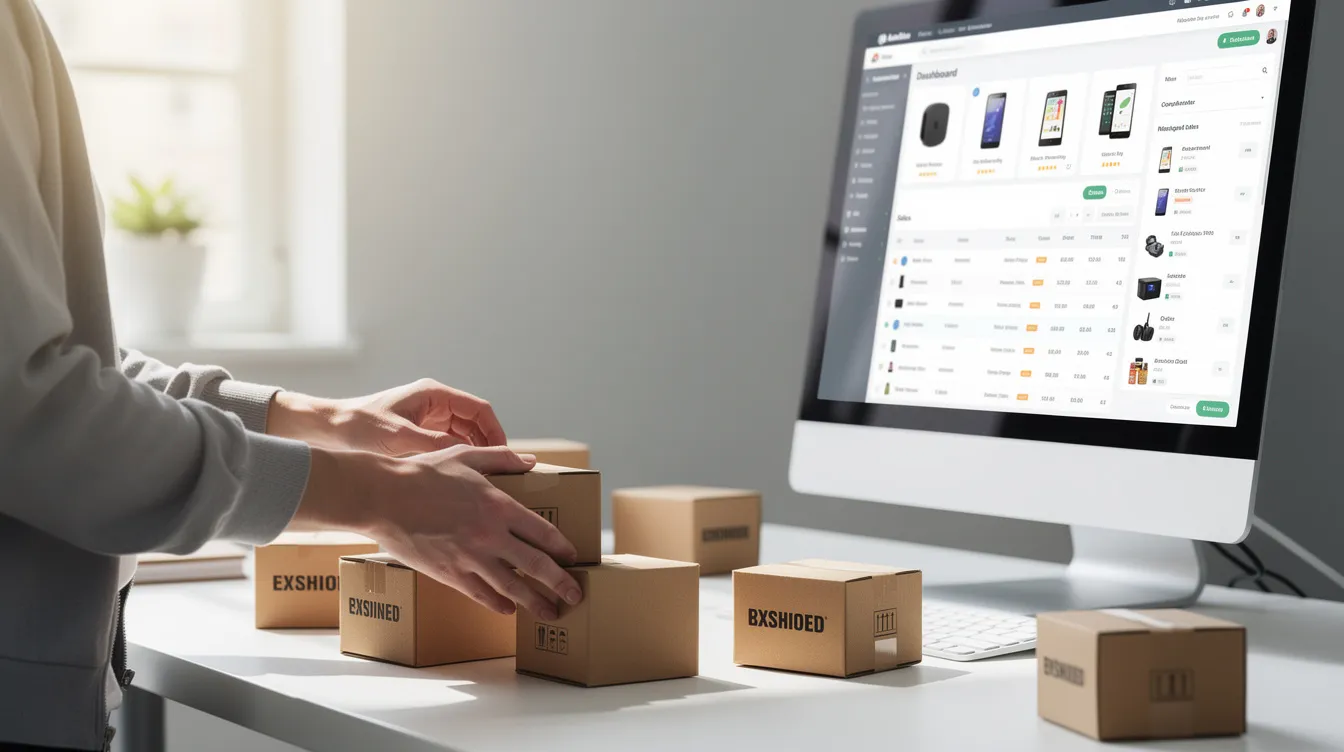
E commerce integration goes well beyond dropping a payment button on a page. A solid package ties together catalog management, inventory management, order fulfillment, returns workflows, and marketplace connections into a coherent system.
Concrete integrations you should expect in a well-scoped package:
-
Shopify or WooCommerce connected with ERP systems (NetSuite, Sage)
-
POS integration for businesses with physical retail locations
-
Warehouse management system connections for fulfillment automation
-
Marketplace APIs feeding product data to Amazon, eBay, or TikTok Shop
-
Product information management (PIM) tools for large catalogs
Order flow setup matters. This means configuring carts, single-page or multi-step checkout, guest vs. logged-in purchasing, payment gateways with fraud detection, and automated email triggers (order confirmation, shipping updates, abandoned cart emails). Returns and exchange workflows need definition too, because these get overlooked constantly and cause operational headaches post-launch.
Good web development packages document all integrations: which APIs are used, where credentials live, how webhooks are configured, and what data maps to what. This documentation means future developers can maintain or extend the system without reverse-engineering everything from scratch. Code ownership should be clarified upfront so you retain access to all custom development.
CMS Integration and Content Management in Modern Packages
CMS integration is common in website design packages, even at starter tiers. Website design packages include features like SEO and CMS integration because clients expect to manage their own content, such as blog posts, service descriptions, and team bios, without contacting a developer for every update.
Popular content management system platforms in 2026 include WordPress (the most used one, per W3Techs), Shopify (for commerce-heavy builds), and headless CMS options like Strapi, Contentful, or Sanity for enterprise or highly custom front ends. Visual CMS options have also gained traction for design-forward projects.
Specific CMS deliverables you should look for:
-
Custom page templates for different content types (homepage, services, blog, product pages)
-
Content models with defined fields and media handling
-
Blog post types with categories, tags, and author attribution
-
Role-based permissions (admin, editor, contributor)
-
Media library setup and image optimization
-
Content migration from an existing site (if applicable)
-
Editor training so your team is self-sufficient
A well-structured CMS integration reduces reliance on agencies for everyday content changes, lowering long-term costs. This is one of the highest-value elements of any package because it shifts routine work from expensive agency hours to your internal team.
Inventory Management and Back-Office Workflow Packages
Inventory management features are a major driver separating simple e commerce sites from advanced development packages. If you sell physical products, the depth of your inventory system directly affects operations, fulfillment speed, and customer satisfaction.
Basic capabilities (included in starter and growth packages): stock counts per product, low-stock alerts, simple variant management (size, color), manual CSV import/export, and single-warehouse tracking.
Advanced capabilities (pro and enterprise packages): multi-warehouse stock allocation, backorder handling, product bundling, purchase order management, automated stock synchronization across sales channels, drop-shipping workflows, lot or batch tracking, and integration with 3PL providers.
Development packages can integrate inventory systems with accounting software and CRM so data flows seamlessly between sales, operations, and marketing. When an order ships, inventory decreases, the accounting system logs revenue, and the CRM updates customer history, all automatically.
Industries that especially benefit from strong inventory integration include multi-channel retailers, distributors, manufacturers, and subscription box providers. If you are running a custom build for any of these verticals, make sure the package scope explicitly covers inventory workflows and not just a product catalog.
Ongoing Support and Maintenance Services After Launch
Website design packages often include ongoing support and maintenance services, and for good reason. Skipping support and maintenance can cause future issues that cost far more to fix than a modest monthly retainer would have prevented. Ongoing support prevents issues like outdated plugins and security vulnerabilities from quietly degrading your site.
Many website design packages include ongoing technical support, and regular updates are included in some website design packages. Here is what concrete maintenance services look like:
-
CMS core, plugin, and theme updates (monthly or as patches release)
-
Uptime monitoring with alert notifications
-
Automated and manual backups (daily or weekly)
-
Bug fixes and browser compatibility adjustments
-
Performance tuning (site speed optimization, image compression, caching)
-
Small content tweaks (text changes, image swaps, new team members)
-
Security scans and vulnerability patching
Support SLAs usually define response times, for example critical bugs within a day and non-critical requests within a few business days. Monthly hour banks differ by tier. Overages are billed hourly at a specified rate. Packages that include maintenance keep websites functional and secure over their full lifecycle.
Evaluate whether you need a monthly retainer (active site with regular updates), quarterly tune-ups (stable site with occasional changes), or purely ad-hoc support (minimal changes, just emergency coverage).
Matching Different Packages to Your Business Needs
The right website design package depends on your business model, budget, internal skills, and growth horizon. Businesses should choose packages based on goals, budget, and required features, not on what looks impressive in a portfolio. Here are concrete scenarios to help you self-identify:
-
B2B SaaS startup in beta: Needs landing page, product info, subscription login. A starter or semi-custom business package with simple CMS and lightweight integrations covers it. No need for advanced e commerce capabilities yet.
-
Single-location restaurant: Brochure site with menu, reservation or booking systems, location map, and hours. A starter package works, with an add-on booking widget. Keep it user friendly and fast.
-
D2C fashion brand with about 500 SKUs: Growth or pro e commerce package to cover product catalog, returns workflows, shipping rules, and marketplace sync. Plan for multi-warehouse if scaling. Ignoring scalability can limit future website growth.
-
Nonprofit or NGO: Template-based or semi-custom package with donation integration, events calendar, volunteer forms, and CMS flexibility. Budget is typically tight, so look for providers that offer affordable, mission-aligned pricing.
-
Multi-region enterprise (legal, finance): Fully custom website package. Compliance requirements, multilingual content, custom integrations with existing systems, and long-term ongoing maintenance retainer. This is enterprise tier by definition.
-
Freelance consultant launching a personal brand: Starter brochure package focused on brand identity, client testimonials, and a contact form. A well designed website at this level can generate leads without complex functionality.
-
Regional retailer expanding online: Pro tier with advanced inventory management, custom e commerce integration, and design system for consistent branding across future campaigns and microsites.
Packages typically offer scalable features for future growth needs, but only if you choose the right package from the start. The risk of overbuying is wasted budget on custom features you will not use. The risk of underbuying is a costly rebuild within a year or two.
Design Systems Inside Web Design Packages
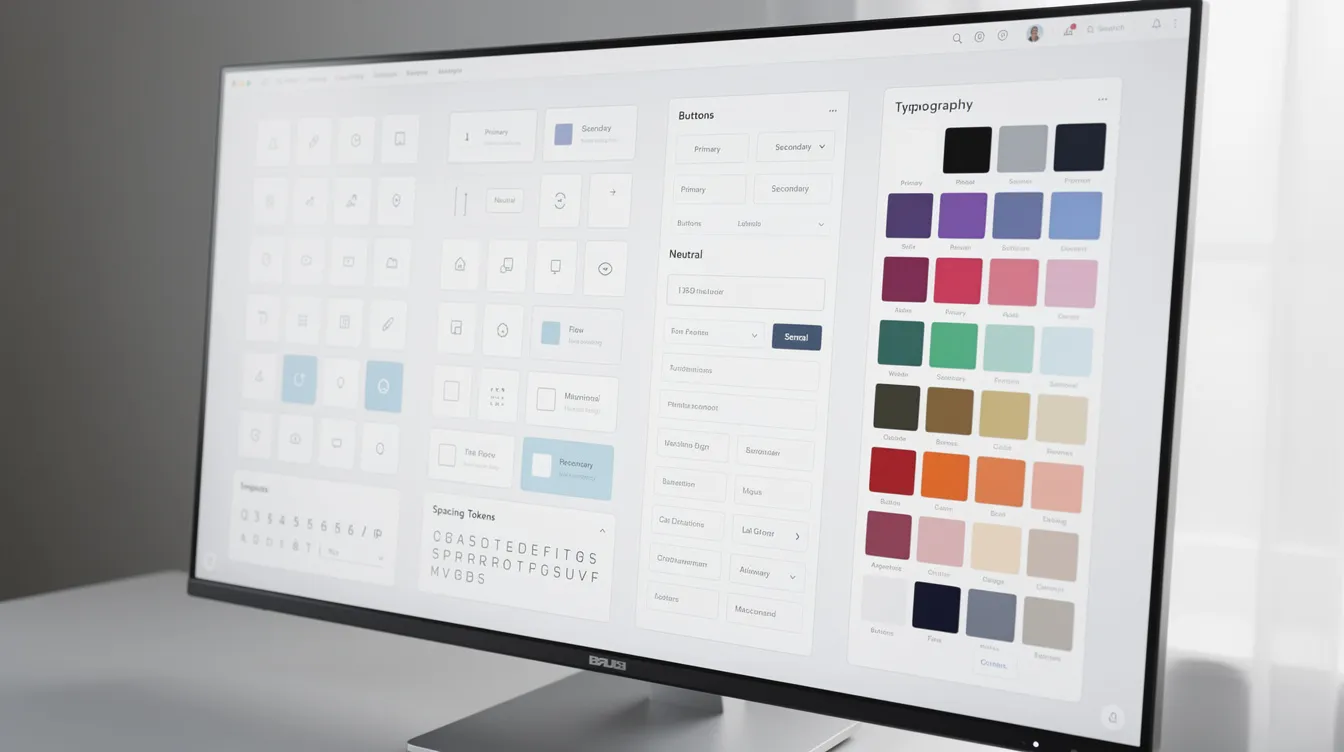
A design system is a collection of reusable components, style tokens, patterns, and documentation that enforce visual consistency and speed up future work. Think of it as a rulebook for your brand’s digital presence: every button, form, card, and layout follows the same logic and aesthetic.
A mature design system usually includes foundations, design libraries, documentation, and design tokens. Check whether it also covers accessibility guidelines or UX copy guidelines.
Which package levels include what:
-
Mid-tier / semi-custom packages: Light style guides covering colors, logo usage, typography, and basic component styles.
-
Pro and enterprise packages: Full design system deliverables including typography scales, color tokens, button variants (normal, hover, disabled, focus), form input states, card layouts, grid systems, responsive breakpoints, and governance documentation.
Concrete outputs from a design system engagement include Figma component libraries with variables and tokens, Storybook instances for developer component libraries, and documentation covering naming conventions and usage rules.
Having a design system baked into the package makes future landing page builds, campaigns, or microsites faster and cheaper to launch. Instead of designing from scratch every time, your team (or agency) pulls from an established library of approved components.
Industry-Specific Web Design and Development Packages
Many businesses discover that generic standard packages do not address the privacy, UX, or integration requirements specific to their industry. Carefully evaluating industry-specific needs before selecting a provider can save significant rework later.
-
Healthcare: Secure forms, secure hosting, patient appointment booking with privacy controls, telehealth integration, and clear accessibility. Ask how patient data is encrypted and documented.
-
Education / LMS: Course management, student portals, LMS integration, user roles for instructors and students, video hosting, and payment processing for course enrollment.
-
Real estate: Property listing management with search and filter functionality, MLS integration, high-performance media galleries, map embeds, and agent profile pages.
-
Hospitality: Reservation and booking systems, room availability calendars, multilingual support, integration with OTAs (online travel agencies), and rich property descriptions with galleries.
-
Professional services (law, finance): Clean professional design, trust signals, legal disclaimers, content hubs for thought leadership, appointment scheduling, and potentially client portals.
-
E commerce retail: Full inventory management, order and shipping workflows, returns processing, product variants, marketplace sync, promotions engine, and UX optimized for product discovery among your target audience.
-
Nonprofits: Donation processing integration, events calendar, tax receipt generation, volunteer sign-up forms, storytelling via blogs, and budget-conscious builds.
Look for providers who have portfolios and case studies in your sector. A web designer who has built several healthcare sites is more likely to understand privacy constraints. One who has not may learn on your dime.
How Web Design and Development Packages Are Priced in 2026
Website design packages are priced by scope, complexity, and level of ongoing support, not just page count. Choosing a package helps avoid hidden or spiraling costs by establishing a defined scope before the development process begins. Choosing solely based on price often compromises quality, so focus on value alignment rather than just comparing prices. My pricing page shows how I present scope next to each package.
Small brochure sites sit at the low end, template-based small-business websites sit in the middle, basic e commerce store builds sit above them, and pro or enterprise custom builds sit at the top. Many small to mid-market projects land in the starter-to-growth range.
Common pricing models include fixed-fee packages (clear scope, one payment or milestone-based), monthly subscriptions (lower upfront, includes hosting and ongoing optimization), and hybrid retainers (fixed build fee plus monthly ongoing support). Packages often provide cost-effective solutions compared to purchasing individual services separately.
Watch for additional costs that inflate total cost of ownership: premium plugin licenses, platform subscription fees, payment gateway transaction fees, hosting for high-traffic or multi-region setups, and unexpected costs from scope changes mid-project.
Questions to Ask Before Choosing Between Different Packages
Structured questions prevent scope misunderstandings and surprise invoices. Before signing anything, work through these with every vendor you are evaluating:
-
Who owns the code and design files after the project is complete?
-
What exactly is included in the scope: how many web pages, design revisions, and integrations?
-
What happens if I cancel ongoing support? Do I keep the site and all assets?
-
How many rounds of design revisions are included at the wireframe and mockup stages?
-
Which e commerce integrations are included? Payment gateways, shipping, tax automation, inventory management?
-
What CMS platform will be used, and how flexible is the custom functionality (custom post types, custom fields, user roles)?
-
What targets exist for site speed, mobile responsiveness, and accessibility?
-
What testing and QA phases are included (browser compatibility, mobile devices, functional testing)?
-
Who handles content entry and migration? Is there training for my team?
-
What is the timeline broken into discovery, design, development, content loading, QA, and launch?
-
What are the post launch support terms: included hours, response-time SLAs, and how overages are billed?
-
Are there recurring fees beyond the package price (platform licenses, third-party tools, hosting)?
Capture all answers in writing within the proposal document. Verbal agreements about what is “included” have a habit of evaporating once the invoice arrives.
Timeline Expectations for Web Design and Development Packages
Realistic timelines vary dramatically by package size. A starter brochure site can go from kickoff to launch in a few weeks. A growth-tier website development project typically runs several weeks. A pro e commerce build or enterprise site stretches longer, sometimes much longer for complex integrations or compliance reviews.
Here is a rough phase-by-phase guide for a mid-tier project:
| Phase | Duration | Activities |
|---|---|---|
| Discovery | 1 to 2 weeks | Stakeholder interviews, sitemap, user research, project plan |
| UX/UI Design | 1 to 3 weeks | Wireframes, mockups, design system, responsive layouts |
| Development | 2 to 4 weeks | Front-end, back-end, CMS setup, custom integrations |
| Content loading | 1 week | Copy, images, product data, migration |
| QA & Testing | 1 week | Browser testing, mobile, performance, SEO optimization checks |
| Launch | 1 to 2 days | Deployment, DNS, SSL, monitoring setup |
Add-ons that extend the schedule: custom e commerce flows, multilingual content, headless architecture, advanced SEO with seo specialists involved, compliance reviews, and large inventory imports.
If you are building around a product launch, seasonal peak, or funding round, add buffer. Client feedback loops, even where a project manager coordinates reviews, can add a week or two beyond the initial estimate. Plan for it rather than fighting it.

Maximizing Value from Your Chosen Web Design Package
A new website pays back through better conversions, lower manual workload, and stronger brand perception, not through looks alone. Web design packages help businesses establish credibility and attract leads, but only if the package is aligned with your actual business goals.
Practical tips to get more from your package investment:
-
Prepare content early: Have copy, photography, and product data ready before professional design begins. Content delays are a common cause of project timeline bloat.
-
Align stakeholders before kickoff: Get leadership, marketing, and sales aligned on target audience, messaging, and design direction. Misalignment mid-project burns revisions and budget.
-
Use analytics post-launch: Install Google Analytics and heatmapping tools, then use data to guide ongoing optimization. Advanced SEO improvements and UX tweaks should be data-driven, not guesswork.
-
Plan for search rankings: Even a well designed website will not generate leads if nobody finds it. Make sure your package covers at least foundational SEO, and plan for advanced seo work in the months after launch.
Pairing a solid initial build with light, ongoing support pays off over the following year or two. Site speed stays fast, security stays current, and small iterative improvements to CTAs, page layouts, and content can help keep conversion rates from plateauing.
A successful website is a living asset, so treat it that way. Before requesting quotes, map your top three business goals to specific package features. Want to generate leads? Prioritize conversion-focused UX and SEO. Need to scale an online store? Focus on e commerce integration depth and inventory management. Want brand consistency across campaigns? Invest in a design system. If you want to talk it through, send me a note on the contact page and I will reply by email.