In this guide I explain what website management involves, how to choose between a website builder and web design companies, and how to build a simple monthly plan. I build websites for small businesses, and looking after them is an optional service.

What Website Management Means for Small Businesses
Website management is everything that keeps a site working after launch: content, technical upkeep, security, and performance. In large companies, whole departments share these tasks. In small businesses, one person or one outside provider usually covers all of it.
Regular tasks include:
-
Publishing and updating pages, prices, hours, and contact details
-
Watching uptime and fixing errors
-
Running updates for the CMS, plugins, and themes (content management basics)
-
Checking analytics for drops in traffic or performance
-
Coordinating with marketing, vendors, or customer service
A well-managed website protects your brand, brings in leads through clear service pages, and keeps your online store running without interruption. When a site loads quickly, shows accurate information, and turns visitors into customers, it is doing its job.
Staff or an outside provider?
Some owners manage the site themselves for tighter control. Others hire a freelancer or one of the web design companies in their area for technical work. A mix works well for many small businesses: someone inside the business edits content, while an outside provider handles security, hosting, and emergency fixes. Whatever you choose, write down who owns the logins, the backups, the response times, and the scope of work.
Why Website Management Matters
Trust and credibility
Downtime and outdated content cost customer trust fast. Wrong hours, old prices, or a broken contact form send people to a competitor and can lead to bad reviews. Regular checks catch these problems before customers do.
Time saved for the owner
Planned maintenance prevents crisis work. Routine checks, automatic backups, and scheduled updates remove the late-night scramble to restore a hacked site or fix a broken checkout. A clear, current site also cuts the number of questions customers send, because they find the answers themselves.
Better results from the same traffic
Visitors who have a poor experience often do not come back. Fixing slow pages, confusing menus, and weak calls to action often brings more inquiries from the traffic you already have. Fresh, useful content also helps search engines show your site to more people.
Core Tasks Every Website Manager Should Handle
Run updates on a schedule
Outdated plugins and themes are one of the most common ways attackers get in, and a breach can expose customer data. Update the CMS core, themes, and plugins every month, and test big updates on a copy of the site first when you can.
Test forms for real submissions
Do not assume a form works because it is on the page. Send a test message every month and check that it arrives, that spam filters do not block it, and that the confirmation message shows. A broken form means lost leads you never hear about.
Monitor uptime
Use an uptime monitor that sends an alert when the site goes down or slows down. Free monitors are enough for most small business websites. Check from more than one location if your customers are spread out.
Keep business information current
Audit headers, footers, service pages, and meta descriptions for old details. Keep a list of every place your hours, prices, and address appear, and review it monthly.
Other ongoing tasks:
-
Renew the domain and review the hosting plan once a year
-
Keep SSL active and watch for suspicious logins
-
Use strong passwords and limit admin access to the people who need it
-
Keep automatic backups and test a restore from time to time
-
Plan new content with a simple calendar
Keep a Responsive Design for Mobile Devices
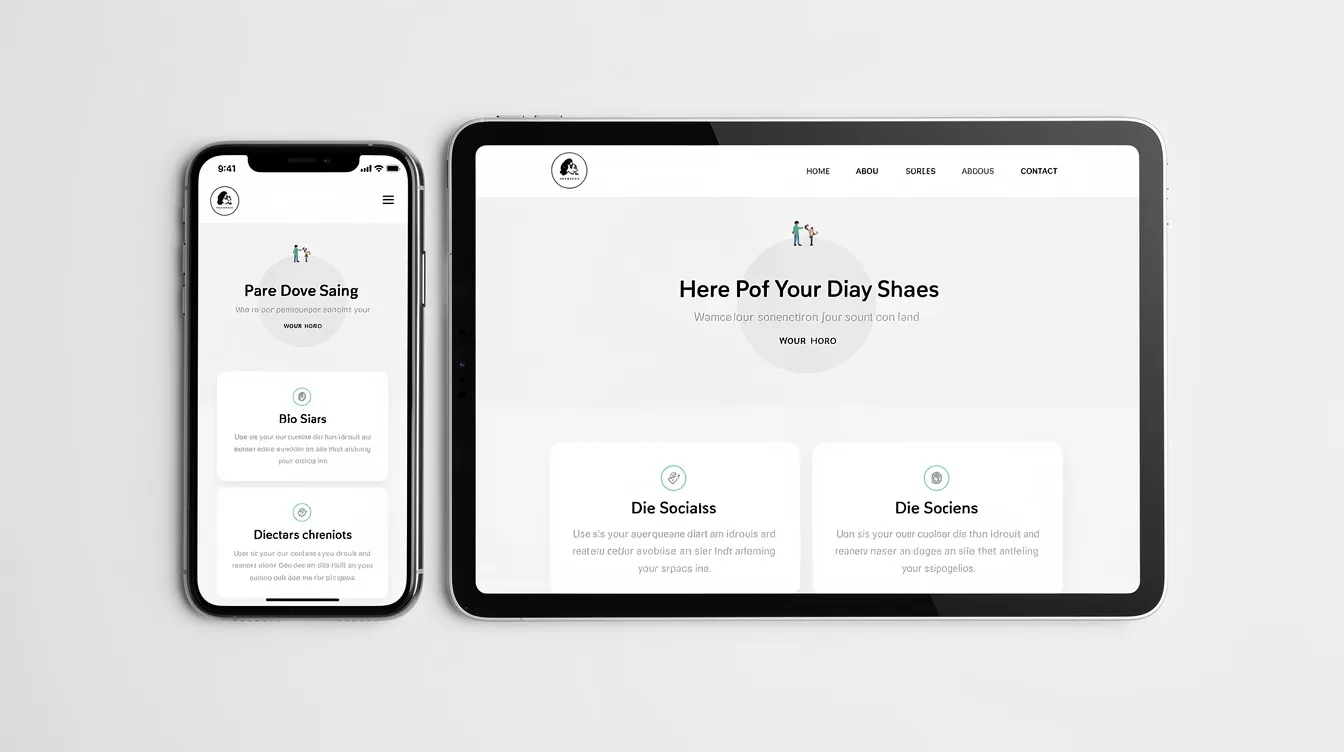
Many visitors to a local business website arrive on a phone, so the site must be mobile friendly. Responsive design and mobile optimization are part of ongoing maintenance, not a one-time job, because new content can break a layout on mobile devices. Check every key page in portrait and landscape on a phone, on a tablet, and on a laptop. Buttons need enough space to tap without mistakes. Compress images before upload, serve them in WebP, and lazy load images lower on the page so the site stays fast.
Best Website Builders or Web Design Companies?
The way your site was built decides how hard it is to manage, and it shapes your website’s functionality for years. Many businesses start on one of the best website builders and later move to custom web design as the business grows. There are two main paths: a website builder you run yourself, or custom websites from web design companies and freelancers.
When a website builder fits
Top website builders bundle hosting, security, templates, and a drag and drop editor in one monthly plan. The drag and drop editor lets small businesses change a page in minutes. Many website builders for small businesses also include SEO tools, forms, and basic e commerce features. With a website builder you can create websites without coding knowledge, and the platform handles updates for you. A user friendly interface makes content management easy for owners who are not technical. Wix is one well-known example, and there are dozens of others.
The trade-offs are limited customization and lock-in. Templates look similar, some features need paid add-ons, and moving to another platform later can mean rebuilding the site. A website builder is a good fit when your business needs are simple: a few pages, a contact form, and maybe bookings.
When to choose WordPress
WordPress gives you more freedom through themes and plugins, from contact forms to a full e commerce shop. The price of that freedom is upkeep: you or your provider manage the hosting plan, security, backups, and plugin updates.
When an online store needs its own platform
If online sales are your main goal, your digital storefront needs an e commerce platform built for selling, such as Shopify. Look for product management tools, stock tracking, low-stock alerts, product variants, guest checkout, and clear shipping costs. Check which payment options your customers prefer and whether the platform adds its own fee on each sale.
When custom website design makes sense
Custom website design is worth it when your brand identity needs to stand apart, when templates cannot do what you need, or when you need custom functionality and a fast site you fully own. Custom websites from a professional team can load faster and convert better than a template when every page is built around your business goals. Many web design companies and freelancers also offer management after launch, so one provider builds and looks after the site.
| Option | Best for | Main trade-off |
|---|---|---|
| Website builder | Simple sites the owner edits | Limited customization, platform lock-in |
| WordPress | Content-heavy, flexible sites | More upkeep and security work |
| E commerce platform | Online stores | Monthly fees and paid apps |
| Custom website design | Brands that need a unique, fast site | Higher cost up front |
How to Choose the Best Website Design Companies
When you need help with website design, compare design companies in a structured way. The best website design companies for small businesses are not always the biggest. Here is what I would check.
Review portfolios from similar businesses
Look for past website design work in your industry. Open those live sites on your phone, test their speed and mobile responsiveness, and see how easy they are to use. Good visual design matters, but visually attractive websites still need clear calls to action and fast pages.
Ask for a detailed scope
The scope should list the pages, features, mobile behavior, content, initial SEO setup, training, timeline, and milestones. It should also say who provides text and photos. A clear scope prevents surprises in custom website design projects.
Check mobile skills
Ask how they test on phones and which browsers they check. Many design companies produce websites that look great on a desktop and break on a phone.
Confirm support after launch
Ask what is included after launch: updates, backups, security scans, and uptime checks. Agree on response times for emergencies, and make sure you get training so you can edit content yourself.
Watch for slow processes
Large design companies often have long sales cycles, with calls, proposals, and approvals before work starts. Smaller web design companies and freelancers can move faster on a small project. Pick the pace that fits how quickly you need the site.

Website Design Choices That Help Small Businesses Grow
Good website design makes management easier. For small business websites, start from the business goals and the business needs, then pick the simplest website design that meets them. A clear structure means fewer pages to update, a mobile friendly layout means fewer fixes later, and clear calls to action support conversion optimization from day one.
Top website builders and website builders for small businesses can handle simple website design well. For an e commerce shop, a booking business, or a business website that must load fast and look unique, website design by a professional usually pays off. Either way, the website should support your digital marketing and grow with your business needs, so small businesses never have to start over.
Improve Cost Efficiency With Better Management
Compare the full monthly cost
Add up everything: the hosting plan or builder plan, plugin licenses, SSL, security tools, and your own time or a provider’s fee. A cheap plan with many paid add-ons can cost more than an all-in-one option.
Prevent expensive emergencies
Hacked sites and emergency moves to a new host are expensive. Scheduled updates, tested backups, and monitoring cost far less than recovery.
Fix what matters most first
Use analytics to find pages with high exit rates or few conversions, and fix those first. Quick wins include compressing images, rewriting page titles, and repairing broken forms. Save big projects, such as a redesign, for when the business grows and the data shows a clear need.
Improve Online Visibility and the Customer Experience
Write clear page titles
Search engine optimization starts with the basics. Give every page a clear title and meta description that match what customers type into a search engine. Ongoing SEO, such as fresh pages and fixed links, can keep your search visibility growing and bring more traffic over time. Free SEO tools such as Google Search Console show which searches bring people to your site.
Repair broken links
Broken links frustrate visitors and waste the traffic you already have. Check for them monthly and fix them with proper redirects.
Publish useful local content
Compare your pages with competitors sites in your area, and fill the gaps they leave. If you serve local customers, publish pages about your service areas and local events, and keep your name, address, and phone details the same everywhere online.
Simplify navigation and calls to action
Keep menus short and use plain labels such as “Services” and “Contact.” Put one clear call to action near the top of each page and repeat it at the bottom. A short lead form next to it helps generate leads from visitors who are not ready to call. Follow accessibility guidelines: alt text for images, good color contrast, and keyboard navigation. A clean, visually appealing layout builds trust with customers.

Matching the Best Platform to Your Business Type
The best platform depends on your business type, your customer needs, and how much time you have. Here is how I would match them for small business websites:
-
Service businesses (plumbers, salons, consultants): a simple site with service pages, reviews, and a contact form. A website builder or a small custom site both work; the best website for this business type is the one that answers questions fast.
-
Shops with an online store: an e commerce platform for the shop, with a clear home page and about page around it.
-
Restaurants and cafes: menus, hours, location, and bookings, with fast mobile pages.
-
Growing businesses with many services: WordPress or custom websites, so you can add pages without limits.
-
Creative businesses: a beautiful website with large images and simple navigation.
Whatever you choose, judge the site by results: user engagement, inquiries, and sales. Digital marketing, from email to social media, sends people to your website, so the site has to be ready to turn them into more customers. Watch market trends, but do not redesign for every new style. Website performance and clear content matter more for small businesses than any trend.
Website design checklist for small businesses
-
A user friendly menu with five to seven items
-
Fast pages, checked with free tools and regular performance monitoring
-
Clear prices or a clear way to ask for one
-
Real photos and honest reviews
-
A visible contact option on every page
-
Domain registration and hosting in the owner’s name
This checklist helps many businesses avoid the most common website design mistakes. Your digital marketing works better when the website design supports it, and the best website for your business is one that keeps working after launch day. Small businesses that follow it get more value from the same web traffic.
Build a Practical Website Management Plan
Small teams do best with a repeatable routine. Here is how to set one up.
Assign responsibility. Decide who updates content, who runs plugin and theme updates, and who handles security. Make sure at least two people can log in to the site, and keep the logins in your own name.
Use a monthly checklist.
| Task | Frequency |
|---|---|
| Check backups and test a restore | Monthly |
| Update CMS core, plugins, themes | Monthly |
| Run a security scan | Monthly |
| Review the uptime report | Monthly |
| Check for broken links | Monthly |
| Test every form | Monthly |
| Review analytics | Monthly |
| Check content for accuracy | Monthly |
| Compress new images | When uploaded |
Write down emergency contacts. List who to contact if the site goes down or gets hacked: your host, your developer, and your registrar.
Review goals every quarter. Check whether the site brings the leads, bookings, or sales you planned, and adjust content or design based on the data.
A website management plan does not need to be complex. It needs to be consistent. If you would rather hand it off, I build and maintain small business websites by email. See what a site needs for moving companies or florists, check my pricing, or write to me through the contact page.