I plan and build websites for small businesses, and a site can struggle because nobody planned it, even when the design is good. In this guide I walk you through the full website planning process, from defining your goals to a launch-ready blueprint.
Start Here: The First Step in the Website Planning Process
The first thing most people do when they want a new website is pick a template or start browsing themes in website builder software. That instinct is understandable, but it’s also the fastest way to end up rebuilding later. Website planning defines goals and structure before design begins, and that single discipline prevents scope creep, mismatched expectations, and wasted budget. Page structure is the cheapest thing to change on paper and one of the most expensive things to change after a design is signed off.
A well-planned website saves time and avoids repetitive work. When you define objectives, users, content, and technology ahead of time, every downstream decision becomes easier. Establishing clear objectives helps guide website design and functionality decisions, so your designers, developers, and content creators are all working from the same playbook.
The first step is defining why you want a new website in 2026. Are you trying to generate leads? Sell products online? Book appointments? Build authority in a local market? Website planning includes defining the purpose and features of the site, and that purpose shapes everything from your hosting provider to your blog topics.
Write it down. A written website planning document, sometimes called a project brief or strategy plan, should codify your business goals, audience definitions, site architecture, content needs, design requirements, success metrics, budget, and timeline. It becomes the single source of truth for your entire web project.
To make this concrete: imagine a small fitness coaching business planning to launch a new website in March 2027. Its written website plan starts now. It defines the goal (30 new clients a month by September 2027), chooses an audience (working adults aged 30 to 50 in Chicago), lists required pages, selects WordPress with WooCommerce, sets a budget, and creates a timeline with milestones. No guessing. Every decision is guided by the plan.
Clarify Goals, Audience, and Success Metrics
Before you explore web design options or debate color palettes, you need a clear picture of what success looks like. That means separating business goals from website goals.
| Business Goals | Website Goals |
|---|---|
| Grow annual revenue | Generate 200 product sales per month via the site |
| Build brand authority locally | Publish 12 articles and attract 1,000 organic visits per month |
| Expand to two new cities | Get 50 consultation form submissions monthly from new city audiences |
Establish measurable business goals tied to clear Key Performance Indicators. Use the SMART framework: each goal should be specific, measurable, achievable, relevant, and time-bound. For example, “Acquire 50 email subscribers per month by September 1, 2027.”
Understanding your audience is crucial for effective website planning. Creating user personas helps understand target audience demographics and needs. Build a profile of your primary audience that includes age range, location, occupation, income level, values, the main benefit they expect from your site or offer, and what problems they want solved. For instance: “Working mothers aged 35 to 45 in large cities who want quick home workouts, the benefit of saving time, but lack flexible options.”
Defining your target audience influences website content creation. Understanding audience needs improves user experience and retention. User insights help create relevant content and calls to action. Audience preferences shape website design and brand identity. And target audience analysis can identify gaps in content strategy you wouldn’t spot otherwise.
For success metrics, track the numbers that connect to your goals: contact form submissions, consultation bookings, product sales, email subscriptions, downloads of a lead magnet. Pick two or three numbers you can achieve and check them every month. If a number does not move, the plan tells you which page to fix.
Document everything in a one-page website goals brief. It becomes your North Star during the planning process and beyond.
Map Your Website Structure and Navigation
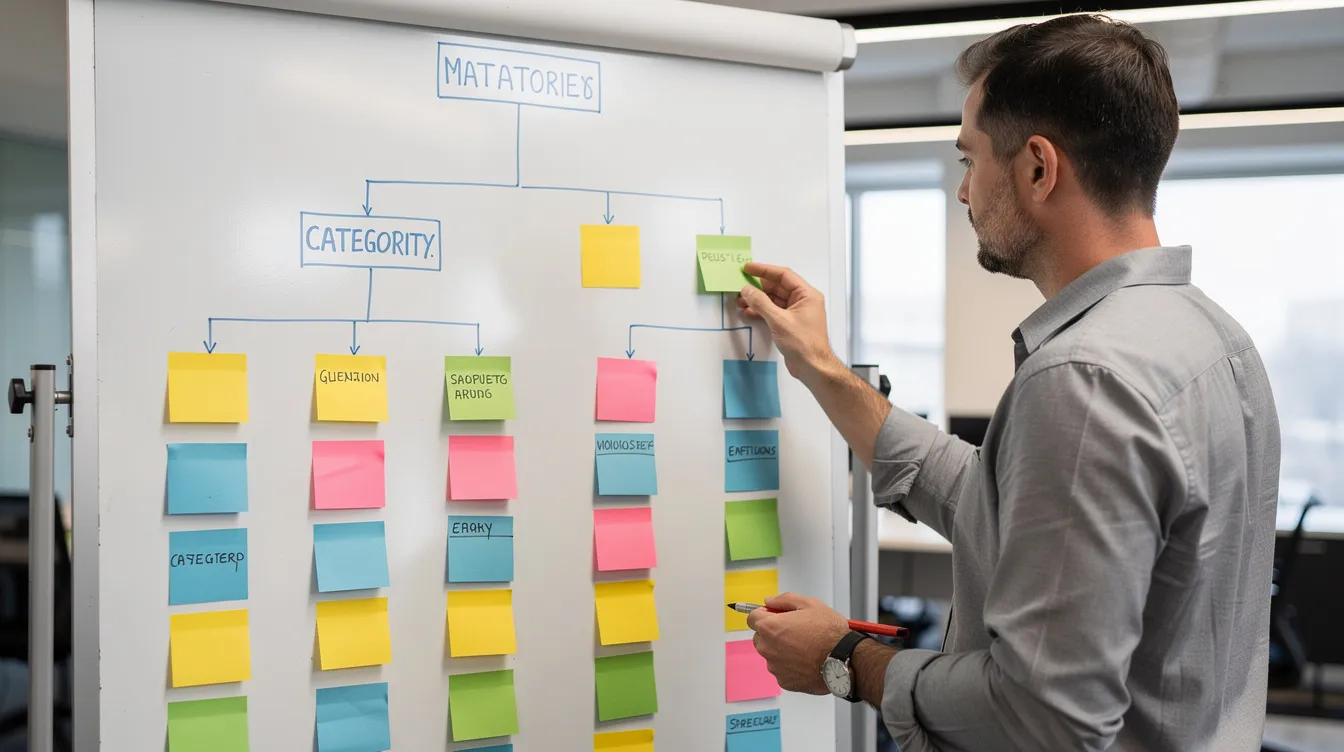
Website structure is the backbone of the entire website planning process. It determines how content is organized, how pages relate to each other, and how visitors and search engines find what they need. A sitemap organizes pages hierarchically to enable effortless navigation.
For a small but great website launched in 2026, here’s a typical structure:
-
Home page - your front door
-
About - founder story, mission, credentials
-
Services or Products - individual pages per offering
-
Personal Training
-
Group Classes
-
Online Programs
-
Resources - articles organized by topic
-
Fitness Tips
-
Nutrition Advice
-
Contact - forms, phone, location
-
Legal - Privacy Policy, Terms of Use
If your content is limited (a few services, a handful of articles), a flat hierarchy works perfectly. If you plan to scale with dozens of articles, many product listings, or resource libraries, you’ll need multi-level categories and possibly site search.
Plan your navigation labels in plain language. Use “Pricing” instead of “Solutions.” Use “Services” instead of “Capabilities.” Labels should match the words your visitors actually use, which you’ll confirm during keyword research. This reduces friction and helps users on different devices find what they came for.
Plan the Content for Every Key Page
Content planning comes before the design process, not after. Drafting content before finalizing layouts ensures that design supports messaging rather than the other way around. Here’s what to plan for each key page:
Home page:
-
Headline that states who you help and what you do
-
Short value proposition explaining why you’re different
-
Primary call to action (“Book a Free Consultation,” “Shop Now”)
-
Brief summaries linking to core services or product pages
-
Trust indicators: testimonials, credentials, logos
-
Recent articles or resources
About page:
-
Founder story with dates, how you started, credentials
-
Mission and philosophy
-
Photos of founder and team
-
A short “why choose this business” section with values
Services or products pages:
-
Description of each specific offer
-
Prices or price ranges
-
Features and benefits for the target audience
-
FAQs to preempt objections
-
Relevant testimonials or case studies
-
Clear CTAs: “Book Now,” “Buy Now,” “Learn More”
Resources section:
-
Five to ten initial article topics based on keyword research and audience questions
-
Content calendar with dates and authors
-
Decided formats: how-tos, listicles, guides, videos
Trust-building content:
-
FAQ page compiled from real audience questions and competitor analysis
-
Testimonials and case studies (problem → solution → results)
-
Privacy information, refund policies if selling products
Plan this existing content inventory and new content needs before you write a single line of copy.
Do Basic Keyword Research Before Writing
Keyword research fits into the website planning process right after you’ve mapped your structure and before you write content. Without it, you risk targeting terms nobody searches for or creating pages that compete with each other.
Keyword tools help identify content gaps and opportunities. Use tools like Google Keyword Planner, Google Search Suggest (type your target terms and note autocomplete suggestions), “People Also Ask” boxes, and AnswerThePublic. Build a small keyword list organized by page.
Choose one main keyword per core page. For example, if you’re a nutrition coach in London, your Services page targets “nutrition coach in London.” Your articles target informational queries like “best post-workout meals.” This avoids keyword cannibalization. Long-tail keywords enhance targeted search engine optimization, so include phrases like “affordable nutrition coach for busy professionals in London” alongside broader terms.
Clarify search intent before assigning keywords. Transactional intent (“buy,” “book”) belongs on product and service pages. Informational intent (“how to,” “what is,” “best tips”) belongs on articles. This distinction shapes headings, content style, and CTAs.
Implement SEO fundamentals from the start for better rankings. Early research influences page names, URL structure (e.g., example.com/services/nutrition-coach-london), headings (H1, H2), and internal links between related content. SEO plugins help gauge keyword effectiveness for ranking as you develop pages. Planning SEO this way helps visibility in search results, because search engines understand each page from day one, rather than requiring a costly retrofit after launch.
Choose Domain Name, Hosting Provider, and Website Builder
These technical decisions belong in the website planning stage, not at the last minute. Changing your domain, hosting, or website builder after development begins causes expensive rework.
Domain name:
-
A good domain name is short and memorable. Avoid hyphens and odd spellings.
-
Think of domain name registration as similar to buying a house: it’s a long-term asset you build on.
-
Choose an appropriate extension (.com, .co.uk, .fitness) based on your audience.
-
Domains can be registered for up to ten years, so you can secure your name well into the future.
-
Purchase a domain name after creating a wireframe, once you’ve confirmed your brand direction.
Hosting provider:
-
Select a hosting provider to store website files. Hosting companies provide access to website files via internet connection.
-
Compare providers on their uptime record, server speed, support quality, SSL availability, and security features (backups, malware scanning).
-
Check the renewal price, not only the first-year deal. Shared hosting is the cheapest; managed WordPress hosting costs more but saves you time on updates.
Website builder:
-
Install content management software like WordPress. It runs a large share of all websites, making it a proven choice.
-
For informational or brochure sites, a builder like Wix or Squarespace works well at lower cost.
-
For e-commerce with product pages, inventory, and payment gateways, consider Shopify or WooCommerce.
-
Match your builder to the long-term plans you identified earlier: blog growth, online booking, digital marketing campaigns, or digital products.
SSL and security:
- Add SSL certificates to secure user data on your site. SSL certificates increase trust and credibility among customers. They also increase trust and security for visitors who look for https in the address bar.
Create a Wireframe and Page Layout Plan
A wireframe is a low-fidelity blueprint of your page layout. Creating a wireframe helps visualize website layout and structure before any polished web design work begins. Create a wireframe to visualize website layout and get stakeholder alignment early.
Plan simple wireframes for these core templates:
-
Home page - hero section, service summaries, testimonials, CTA
-
Standard content page - service or about page with text blocks, images, CTA
-
Article page - headline, body content, sidebar with related posts
-
Landing page - focused message, single CTA, minimal navigation
Use tools like Figma or Balsamiq. If budget is tight, paper sketches work fine. The goal is clarity, not polish, so focus on where things go, not how they look.
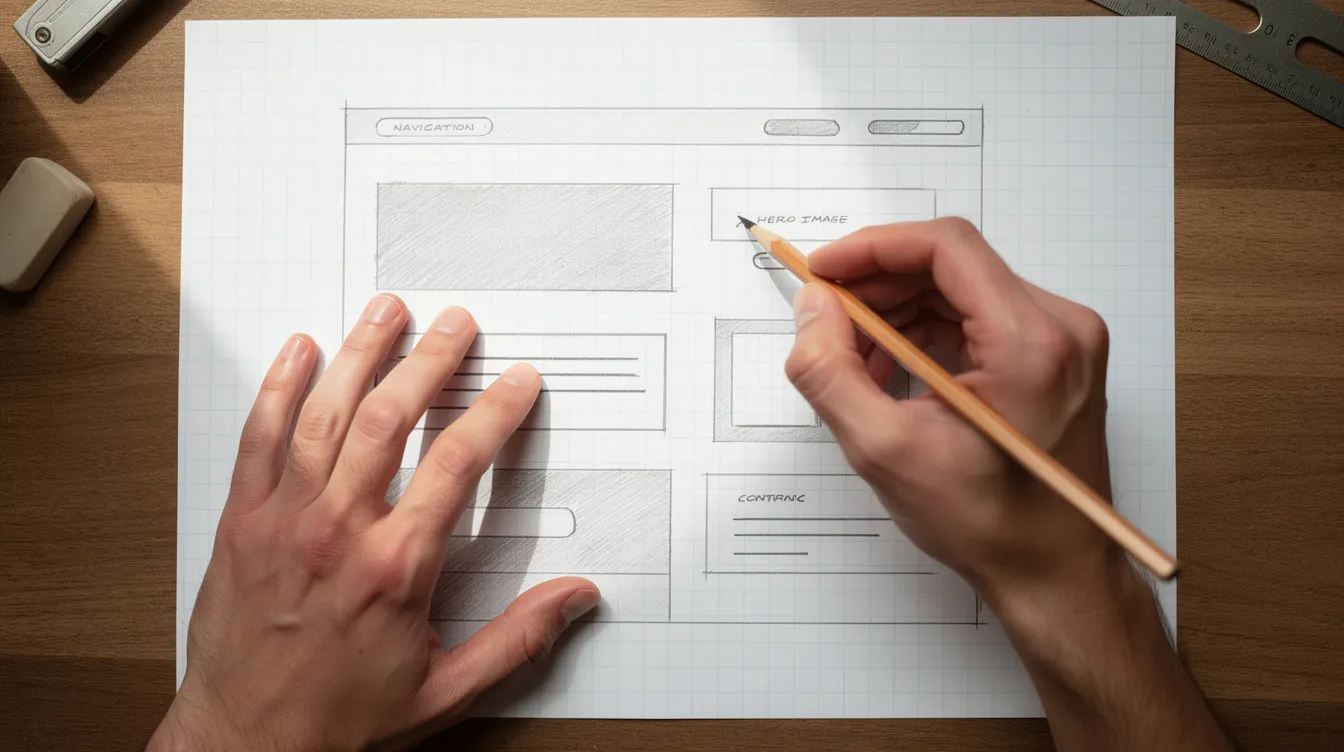
Typical layout zones to plan:
-
Header: logo, navigation menu, utility links (login, cart)
-
Hero section: main headline, value proposition, primary CTA, background image or video
-
Body content blocks: features, testimonials, FAQ, blog previews
-
Sidebar: used on article pages for categories, recent posts, call-outs
-
Footer: contact info, legal links, social links, newsletter sign-up
Arrange content to guide visitors toward a primary action on each page. Every section should answer a question, overcome an objection, or build trust, moving the user closer to clicking that CTA rather than just filling space.
Plan Brand Identity, Visual Style, and Voice
Brand decisions affect web design, copy, and user trust in several ways. Consistency across your site makes you look professional. Inconsistency makes you look amateur, no matter how good the software behind the site is.
Prepare these brand assets before design begins:
-
Logo files: high resolution, vector format (SVG), transparent background, light and dark variations
-
Color palette: primary, secondary, and accent colors with hex codes
-
Fonts: 2–3 web-safe fonts (one for headings, one for body), licensed for web use
-
Image style: photography examples, illustration direction, mood board
Define your brand voice. A medical site might use a professional, calm, precise tone. A fitness brand might be energetic, motivational, and slightly edgy. Document wording preferences: do you say “clients” or “customers”? First person or third person? These choices shape how you write across your homepage, sub-pages, articles, and emails.
Create a simple style guide covering tone, common phrases, CTA wording, and image rules. Consistent style across all pages helps the website feel like one unified experience rather than a patchwork of ideas.
Plan Technical Requirements, SEO Basics, and Legal Pages
The technical stack of a website impacts its functionality and scalability. Include these items in your planning document:
Core technical needs:
-
SSL certificate (HTTPS is now standard)
-
Responsive design for mobile. Mobile responsiveness is essential as most web traffic worldwide happens on phones. Responsive design ensures websites display correctly on all devices.
-
Performance optimization techniques include compressing images and minimizing code for fast load times
-
Basic analytics tracking (Google Analytics 4, event tracking for forms and sales)
-
Backup arrangements: frequency, storage, restoration process
On-page SEO basics per page:
-
Title tag: includes primary keyword + site name, under 60 characters
-
Meta description: compelling summary, 150–160 characters
-
H1 and H2 headings: clear hierarchy with keywords placed naturally
-
Internal links to related content across the site
Legal and policy pages:
-
Privacy Policy: privacy policies are required for sites collecting user information under laws such as California’s online privacy act
-
Cookie Policy: especially important in EU/UK markets
-
Terms of Use: recommended if offering services, products, or memberships
Accessibility:
-
Accessibility follows WCAG guidelines to ensure usability for everyone
-
Plan alt text for images, sufficient contrast ratios, readable fonts, keyboard navigation
-
Website performance impacts user retention and search rankings, so treat speed and accessibility as features, not afterthoughts
Timeline, Budget, and Resource Planning
Turn your planning process into a realistic schedule by breaking the web project into phases:
| Phase | Example Timeline | Key Activities |
|---|---|---|
| Planning & Strategy | Nov–Dec 2026 | Goals, audience, structure, branding |
| Content Creation | Jan 2027 | Copywriting, photography, videos |
| Design | Feb 2027 | Wireframes, visual mockups, style guide |
| Development & Testing | Early Mar 2027 | Build, integrations, cross-browser and device testing verifies functionality across multiple platforms |
| Launch | Mid-Mar 2027 | Go live, submit to Google, announce |
Budget lines to plan:
-
Domain name, renewed every year
-
Hosting or a website builder plan, paid monthly or yearly
-
Theme or template, if you build it yourself
-
Professional web design and development, if you hire help
-
Copywriting and photography
For a real example of web design prices, my pricing page shows what I charge, and my research collects data on small business websites. Decide what to do yourself and what to outsource. You might write your own articles but hire a designer for the homepage and a developer for more control over custom features. Spend money where expertise matters most, and keep the rest of the plan simple so it is easy to achieve.
Use a simple project management tool like Trello, Asana, or Notion. Create lists for “To Plan,” “In Progress,” and “Done.” Set milestones, assign owners, and buffer time for revisions. This keeps progress visible and prevents the plan from stalling.
Prepare for Launch, Testing, and Continuous Improvement
Planning does not stop when the site goes live. Iteration is part of a complete website planning process. Real-world use reveals content gaps, confusing navigation, and unexpected user behavior that even the best plan can’t fully predict.
Pre-launch checklist:
-
Test pages on desktop and mobile to verify responsive layout
-
Cross-browser and device testing verifies functionality across multiple platforms
-
Verify all links (menus, internal links, external) work correctly
-
Test all forms (contact, booking, newsletter) and confirm notifications arrive
-
Check loading speed for the homepage and top sub-pages using Google PageSpeed Insights
-
A launch checklist should include testing forms, verifying navigation, and SEO settings
Marketing and SEO launch steps:
-
Submit your sitemap to Google Search Console and ensure robots.txt is configured
-
Set up Google Analytics 4 with goal and event tracking
-
Publish a few useful articles at launch to give search engines content to index
-
Plan email newsletter announcements and social media promotions as part of your digital marketing efforts
Ongoing improvement:
-
Schedule quarterly reviews throughout 2027 to examine traffic sources, bounce rates, and conversion rates
-
Update content, refine CTAs, and add new pages based on visitor data
-
Regular maintenance involves updating content, security patches, and backups
-
Test different headlines or CTAs to achieve better lead generation results over time
Your website plan is the blueprint that turns ideas into a launch-ready site. A business does not need the fanciest design to do well online. It needs a plan before the build.
Start with a one-page goals brief this week. Map your structure, research your keywords, and document every decision. If you run a gym, my page for gyms shows what such a plan should cover. If you want help with website planning or the build, write to me through the contact page.