I build small websites for local businesses, and in this step by step guide I walk you through everything from planning your content and choosing a one page website builder to optimizing for search results and growing beyond a single page.
What Is a One Page Website for Small Business?
A one page website is a site where all primary content lives on a single, vertically scrolling page. Instead of clicking through multiple pages with separate URLs, visitors scroll down to consume your business information in a linear flow. One page websites simplify navigation with a single scrolling layout, and anchor links let visitors jump directly to specific sections like “Services” or “Contact.”
This format is ideal for concise storytelling. Rather than spreading thin across a complex website, you present your core message, services, and calls-to-action in one focused experience.
One page websites are ideal for portfolios and event promotions, but they also work exceptionally well for:
-
A local bakery promoting its menu, business hours, and location
-
A freelancer or consultant offering one core professional service
-
An event page for a conference, concert, or product launch
-
A landscaping company showcasing services and a contact form
A single page website is less suitable when your business offers many distinct services, operates in multiple geographic areas, or needs a blog covering multiple topics. For those scenarios, more complex websites with multiple pages are the better path.

Why Choose a One Page Site?
There are concrete reasons why a one page site works for small business owners who want results without complexity.
Focused customer journey. Because everything flows in one direction, you control the exact order visitors see your messages. Hero headline → services → testimonials → contact form. Each section builds on the previous one. One page websites provide a focused message for better conversions, and higher conversion rates can be achieved with a focused call-to-action on a single page.
Simplified maintenance. With fewer pages to update, you spend less time managing templates, navigation menus, and plugin updates. Lower costs associated with building a single page website benefit small businesses with limited budgets and time.
Faster mobile browsing. One page websites can load faster than multi-page sites when there’s less to download, which matters because many local searches happen on phones. Visitors also stay on one page instead of bouncing between tabs.
The format is cost-effective due to lower build and maintenance costs, making it a practical first step for any company getting online. Many of your competitors already have a website, and a one page format is one of the simplest ways to join them.
Plan Your One Page Website’s Content
Before you open any website creator, plan what goes on the page and in what order.
Identify target customers
Define who is most likely to visit and convert. For a local plumber, that’s homeowners within a 20-mile radius who need emergency repairs. For a freelance photographer, it’s couples planning weddings. Research local competitors and customer pain points so your messaging speaks directly to them.
Define the primary conversion goal
What single action do you want visitors to take? Options include:
-
Call your phone number
-
Fill out a contact or quote form
-
Book an appointment
-
Visit your storefront
-
Buy a product
Pick one primary goal and structure content to feed into it. Too many competing calls-to-action dilute the message.
Map content into scroll order
Order matters. A typical sequence that works for most page site layouts:
-
Hero section – strong headline summarizing what you do
-
Core services – what you offer and how it helps
-
Social proof – testimonials, logos, case studies
-
Process or features – steps showing how it works
-
Pricing or packages – if applicable
-
Contact section – final CTA with form, map, phone, address
This lets you structure content so each section naturally leads the visitor closer to your conversion goal.

Choose a One Page Website Builder
The right one page website builder depends on your budget, design preferences, and growth plans. Here’s what to evaluate.
Compare free website builder options
Many website builders offer a free plan, and entry paid plans are cheap. Features like analytics, forms, and domain support vary a lot between platforms, so compare them before you commit.
The main types of one page website builder are:
| Builder type | Strength | Free plan |
|---|---|---|
| Minimal one-page tools | Polished, simple website templates | Usually yes |
| General website builders | Many templates, room to add pages later | Usually yes, limited |
| Design tools with sites | Visual design flexibility | Often yes |
| WordPress page plugins | A one page layout inside a WordPress site | Free versions exist |
Wix, Carrd, and Canva are common examples of website builders with a one page website template library. Website builders like these let you create a site without code, so you don’t need technical knowledge to get started. Many website builders also offer a free template library, so you can test a layout before you pay.
Evaluate template quality
Look for ready made templates with modern visual design, clean whitespace, and clear visual hierarchy. The right builder depends on your industry, so look for website templates made for businesses like yours. Some templates add effects such as parallax scrolling; use them lightly, because heavy effects slow the page on phones.
Check custom domain availability
Many free plans force builder branding or a subdomain. To present a professional image, you’ll need your own domain, and most website builders let you link one on a paid plan.
Confirm mobile editing support
Make sure your builder lets you preview and edit for mobile and tablet screen sizes. Some platforms provide full mobile editing mode; others only offer preview. The ability to adjust spacing, touch targets, and font sizes for small screens is essential.
Drag and Drop Design With AI Tools
Most website builders use a drag and drop editor that lets non-developers move sections, embed images, and edit text visually without code. A simple editor means you can create a page site in minutes rather than days, without writing code.
Drag and drop editing in action. You select a section block, drag it into position, and customize colors, fonts, and spacing. No learning curve for basic layouts.
AI for content creation. Several platforms now offer AI-assisted text for headlines, service descriptions, and even full website copy. AI drafts can shorten the time to launch, but human editing remains essential for accuracy, tone, and brand personality.
Preview responsive layouts. Drag and drop editors make it easy to create sections, but always preview your responsive layout across desktop, tablet, and mobile before publishing. Some builders automatically collapse multi-column layouts into single columns on mobile devices, while others let you set custom mobile-only styles.
Create a One Page Website With a Drag and Drop Builder
Here’s how to create a free one page website from a one page website template to launch. Every drag and drop website builder works a little differently, but the steps are the same on most website builders, from a simple tool like Google Sites to a full one page website builder.
Select a suitable template. Choose templates that match your brand identity and are designed for your specific industry. A bakery template will have different section structures than a consulting landing page. Select templates designed for your specific industry to save time.
Replace the sample content. Don’t launch with sample text or stock defaults. Use your own images, real testimonials, and actual service descriptions. Keep messaging short, punchy, and focused on your conversion goal. Templates help structure content for better user flow, but only if you fill them with real details about your company.
Apply consistent brand styling. Define your color palette, font hierarchy, and button styles. Incorporate visuals and colors that reflect your brand. Consistency across iconography, images, and typography builds trust and recognition.
Preview the finished page. Before going live, test on multiple devices and browsers. Check that anchor links work, forms validate correctly, and images load properly. Use performance tools to test loading speed and make sure a free template doesn’t come with bloated code. In the footer, add social media icons that link to your profiles on social media platforms.
Use responsive templates for better mobile experiences, and always verify that your free option actually meets your minimum requirements before committing.
Essential Business Website Sections
Every business website needs these core sections to convert visitors into customers.
Write a clear hero headline. This is the first thing visitors see. It should communicate what you do, your primary benefit, and ideally include a call-to-action. Keep it under 10 words with a supporting subheadline if needed. Example: “Expert Plumbing Repair in Portland - Call Now for a Free Quote.”
Describe core services. Dedicate a section to each major offering. Include deliverables, benefits to the customer, and a brief process overview. Use icons or small images to illustrate each service. Well-written service descriptions help both visitors and search engines understand your business.
Showcase customer testimonials. Customer testimonials provide social proof and build trust on one page websites. Include real quotes, star ratings, or brief client stories. If you have client projects with before-and-after results, feature those prominently. Using high-quality images can enhance the appeal of products or services showcased online.
Place contact details prominently. Phone number, email, physical address, and a map embed for local businesses. Include your hours so visitors know when to reach you. A sticky “Call Now” or “Book Now” button works well on mobile. Repeat your primary CTA in multiple places.
Help Customers Find Your Business
Search engine optimization on a single page website is different from a multi-page site, because the search engine sees one URL instead of many. Here’s how to help customers find your business online.
Target one primary local keyword. Since a one page website has one URL, you can realistically optimize for one main search intent, like “plumbing repair in Austin” or “wedding photographer in Denver.” One page websites can rank well for a single focused keyword, but SEO challenges arise when trying to rank a one page website for multiple keywords. SEO is trickier on one page websites than multi-page sites, so focus is essential.
Write a descriptive page title. Aim for 50-60 characters including your main keyword and location. Write a meta description of 150-160 characters summarizing your offering. These are your first impression in search results.
Add service-area wording. Mention specific towns, cities, or neighborhoods in your headers, service descriptions, and footer. One page sites should include clear headings for SEO benefits, so use H2s and H3s to delineate sections. Add structured data (LocalBusiness schema) with your address, hours, and phone number. Fast loading times can improve SEO rankings for one page websites, so keep your page lightweight.
Connect a Google Business Profile. Use Google My Business, now called Google Business Profile, to enhance local SEO for one page sites. A GBP listing helps you appear in map pack results and drives phone calls and directions independently of your website. Maintain consistent NAP (Name, Address, Phone) between your site and profile.
Review your SEO settings periodically and consider SEO services if you need help ranking for competitive terms.
Add an Online Store or Lead Form
Your one page site doesn’t have to be static. You can sell products, capture leads, and accept payments.
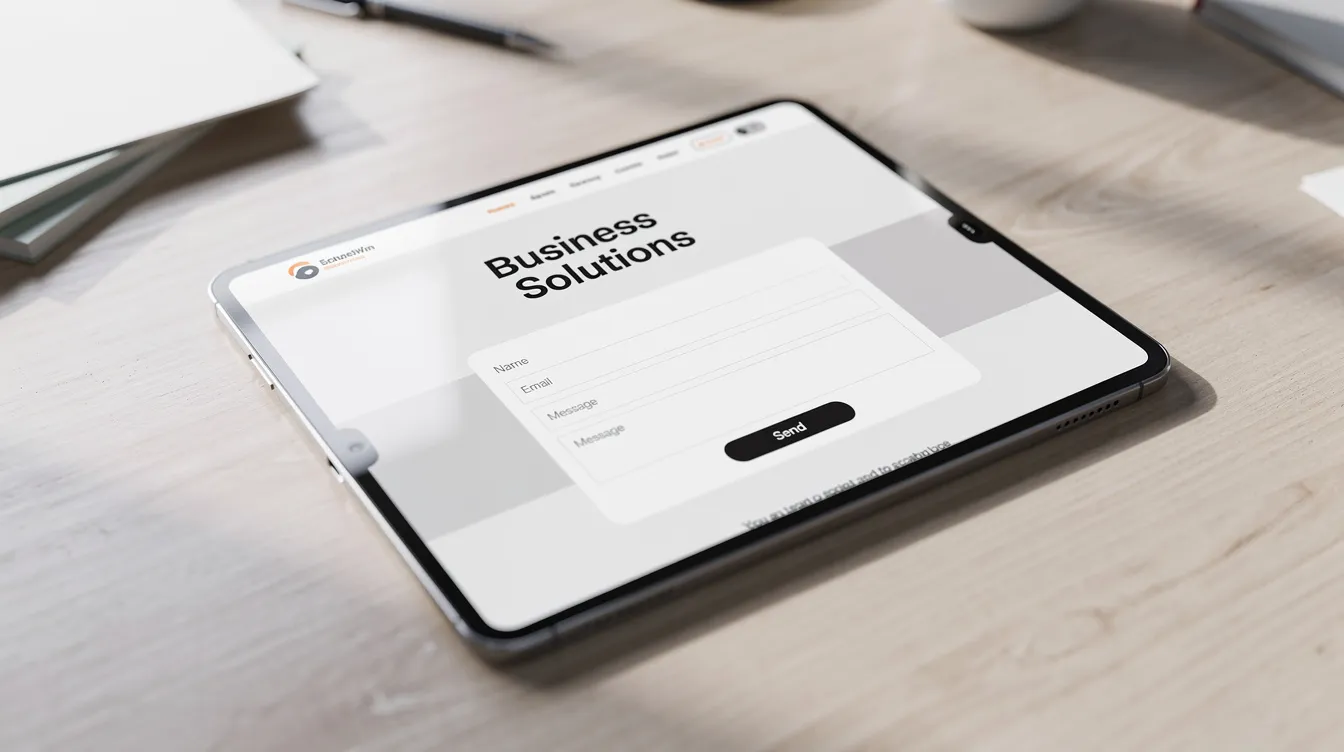
Add a concise contact form. Keep fields minimal: name, email, phone, and message. Fewer fields mean higher completion rates. Place the form near the bottom and consider a sticky header CTA that scrolls to it.
Connect a booking calendar. If your business takes appointments, embed a booking calendar directly on the page. This reduces friction for salons, consultancies, and professional services that rely on scheduled visits.
Feature online store products. If you sell a small number of products, embed a shop section with featured items, pricing, and images. An online store section works best when you have fewer than 10-15 products. For larger catalogs, consider expanding to multiple pages.
Enable payment collection. Use a trusted payment provider that your builder supports. For one page sites, payments typically happen via a modal or pop-up rather than a full store catalog. Ensure SSL is active for secure transactions.
You can also integrate email marketing tools to capture visitor emails and nurture leads after they leave your site.
Design One Page Websites for Mobile
Many visitors to a local business website arrive on a phone. Designing for mobile isn’t optional.
Test touch-friendly navigation. Buttons should be at least 44x44 pixels with adequate spacing. Menu items and anchor links need to be large enough for thumb tapping. Mobile-friendly layouts enhance the experience for smartphone users.
Compress large image files. Use optimized formats like WebP, scale images to display size, and enable lazy loading for content below the fold. Heavy images are a common cause of slow mobile load times.
Check button visibility. CTA buttons should contrast sharply with the background and remain visible without excessive scrolling. A sticky CTA bar on mobile ensures the primary action is always accessible.
Verify readable font sizes. Use a minimum of 16px for body text on mobile. Headers should scale appropriately. Avoid long, unreadable lines by keeping content width constrained. Test on actual devices, not just browser previews.
Publish Your Free One Page Site
You’re almost live. Here’s how to make the launch count.
Choose a memorable domain. Keep it short-one to three words-and easy to spell. A .com domain works best for most markets. Avoid unusual spellings or hyphens. Your own domain reinforces credibility far more than a builder subdomain like yoursite.builder.com.
Connect the business domain. If you’re using a free option that assigns a builder subdomain, upgrade to a paid plan that supports your own domain. Most builders include this on their entry plan. It makes the site easy to share and remember.
Verify every form submission. Test your contact form by submitting it yourself. Confirm the email arrives, check spam filters, and verify that any map embeds or address links work correctly. If you’ve enabled payments, test transactions in both sandbox and live mode.
Grow Beyond One Page
A one page website is a starting point, not a ceiling. Here’s how to know when it’s time to expand.
Review visitor analytics. Set up Google Analytics, or the analytics your website builder includes, to monitor visits, scroll depth, bounce rate, and CTA clicks. See which sections visitors spend time on and which they skip. This tells you what to highlight, refine, or remove.
Refresh outdated service information. Update your hero message, services, and testimonials seasonally. Keep images current. Stale content signals neglect to both visitors and search engines.
Add pages for new search topics. If your business grows to offer multiple distinct services or serve new locations, consider adding dedicated pages. A single page can’t effectively rank for many different search intents. When you need to cover multiple topics with distinct keywords, expanding to a multi-page site gives you more control over SEO and user experience.
Start with one page. Add complexity only when your business demands it, not before.
This approach lets you use all the tools you’ve already set up while scaling at your own pace. Many small businesses begin with a one page site, then evolve to complex websites as growth requires. Builders with scalable plans that support adding pages, a blog, or a store will serve you best long-term.
One Page Website or Landing Page?
A one page website and a landing page look alike, but they do different jobs. A landing page is built for one campaign, such as an ad or a seasonal offer, and usually has no menu. A one page website is your main website: it explains who you are, what you offer, where you are, and how to reach you. Many owners start with a landing page from a builder and later turn it into a full one page website with all the sections above. If you only need a landing page for an ad, a landing page template is enough; if it is your main site, choose website templates made for a full one page layout. Either way, connect Google Analytics so you can see which version brings more inquiries.
If you run a bakery, a florist, or another local shop, a one page site often covers everything customers need. My page for bakeries shows what such a site includes. If you would rather not build it yourself, see my pricing or write to me through the contact page.
A one page website gives you a professional online presence without the complexity or cost of a full site. Pick a builder, choose a template, and launch this week. You can always grow from there.