Affordability in web design has little to do with finding the cheapest option. It has everything to do with what your website delivers relative to what you spend. Visitors judge a company’s credibility by its website design in seconds, so cutting corners on the site that represents you is one of the most expensive decisions a business can make.
Affordable business web design generally falls into two models. The first is a one-time professional build, often with optional maintenance after launch. The second is a website builder plan you run yourself, where you trade a lower price for more of your own time. Both can work for small businesses, and this guide shows where each one fits.
This guide breaks down what affordable really means, how to avoid the traps of low prices, and how to launch a site that works as hard as your business does. I build websites for small businesses, so I wrote it from the side of the owner who has to pay the bill.
Why Affordable Website Design Matters to Every Business Owner
First impressions happen fast. When a potential customer lands on your site, they decide within seconds whether your business looks legitimate. A professional website builds business credibility in a way that no amount of social media posting can replicate. Cheap options can lead to lost credibility with clients before you even get a chance to pitch your service or product.
Many local shops still have no site at all. When I read the website field on 6,000 Google Maps listings for nail salons, barber shops and bakeries in 20 US cities, 34.6% had no website of their own, and 28.6% linked to nothing at all (my study). For those owners, even a simple, affordable website is a clear step ahead of nearby competitors.
Your website should support your business goals, whether that means phone calls, contact forms, or visitors to an online store. A well-designed website turns more visitors into customers, which is why it makes sense to treat web design as a revenue activity rather than a line-item expense.
A professional website can improve customer engagement and retention because visitors return to sites that are easy to use, load quickly, and look trustworthy. When your site generates leads consistently, it becomes the most productive member of your team.
Strategic affordable website design also reduces replacement costs. A site built with durable code, clean architecture, and scalable features can last for years with minor updates. Compare that to a cheap build that falls apart in a year and demands a full rebuild. The business that invests wisely upfront avoids paying twice.
What Makes an Affordable Website Truly Cost Effective
There is a meaningful difference between a low sticker price and lasting value. The cheapest websites often use generic templates, minimal customization, and no strategy behind the layout. The real cost shows up later: cheap websites often need an early redesign because they were never built to handle growth, changing branding, or evolving customer expectations.
Custom website design costs more upfront for an established business, because that budget allows for proper planning, responsive layouts, search engine optimization, and a conversion-focused structure. When you compare the total cost of a cheap site rebuilt twice against a single durable build, the math usually favors doing it right the first time.
Redesign Costs Versus Durable Implementation
Think about the next five years, not the next invoice. A cheap template site that gets rebuilt every 18 months means paying for three or four launches, three or four rounds of new photos and text, and a dip in search visibility every time the pages change. A durable, affordable custom site costs more in year one, then only small yearly updates.
The cheap path costs less upfront but delivers worse results and constant interruption. The affordable path costs more initially but saves money over the life of the business. That is the real cost comparison to make before you choose.
Conversion-Focused Planning
Affordable websites are built to last and convert visitors. That means designing around customer journeys: how visitors arrive, what pages they see, and what action you want them to take. Features like clear navigation, effective contact forms, and fast load speed pay off through better engagement.
Maintenance Expenses
Hidden fees can inflate the total cost of web design services. Before signing anything, account for these recurring costs:
-
Web hosting renewal (prices often rise after the first year, even when a plan includes a free custom domain at the start, and renewal pricing still applies after that)
-
Domain renewal, usually charged once a year after the first year
-
SSL certificate renewal
-
Plugin, theme, and platform updates
-
Security patches and backups, which are part of normal website maintenance
Content updates and website maintenance should be part of long-term costs. Websites need security patches and occasional updates, and ignoring them leads to vulnerabilities, slow performance, and declining search visibility.
Affordable website design should save money over the life of a business, and it does when these costs are planned from day one. Ask every provider for transparent pricing on these items so hidden fees never surprise you.
Build a Professional Business Website Without Long Term Contracts
One of the biggest fears business owners have is getting locked into long term contracts that drain their budget month after month. The good news is that professional websites built today can be delivered without multi-year commitments.
Flexible Payment Structures
Payment terms affect the long-term affordability of website design services. Look for providers who offer a flat project fee, payment only after you approve the finished site, or a one-time build fee plus optional monthly support. Software platforms usually charge monthly or yearly subscriptions instead.
Clarify who pays for web hosting and domain renewals after launch. Some providers bundle these into their fee; others hand them off to you after the site goes live. Either model works, but you need to know which one you are getting.
Ownership Rights
You should own your domain name and have administrative access to your website. This is non-negotiable. Verify ownership rights to the domain and website content before signing any agreement. If a provider keeps control over your domain or source files, moving away later becomes slow and expensive.
Key assets you must own:
-
Domain registration (in your name or your business name)
-
CMS login credentials with full admin access
-
Source files, themes, and brand assets
-
All written and visual content on your own site
Cancellation Terms
Ask what happens when you stop paying. Can you export your data? Do you keep the design? Are there exit fees? A transparent provider will state these terms plainly and in writing.
Free Plan or Paid Plan: Choose the Right Starting Point
If you are just testing an idea or need a stopgap page while your custom site is being built, a free plan can work for a short time, and a free plan costs nothing to try. Understanding the limits will save you from frustration.
Free Plan Limitations
Free plans typically come with:
-
A subdomain (yoursite.platform.com), because any free domain on these plans is usually a platform-branded address and a true custom domain requires an upgrade
-
Platform branding and ads you cannot remove
-
Limited storage and bandwidth
-
Restricted templates and design features
-
Weak or missing customer support
A free plan is beginner friendly for experiments, but it rarely gives a real business the professional online presence it needs. Many owners start on a free plan, learn what they need, then move to a paid plan or a designer. If you start on a free plan, keep your text and photos in your own files so you can move them later.
When a Paid Plan Becomes Necessary
The moment you need a custom domain, e commerce features, or the ability to remove third-party branding from your site, you need a paid plan. A custom domain is a basic trust signal. Visitors trust yourbusiness.com more than a long platform address.
What Low-Cost Plans Usually Include
Popular website builder platforms such as Wix and Squarespace sell their plans in tiers. The cheapest plan usually covers a few pages and basic SEO tools. A core plan or business plan tier usually adds more storage and online payments. Higher tiers often add unlimited storage, more features for selling, and priority support. On some platforms, every paid plan comes with a custom domain and without the platform’s branding, so compare one business plan with another by features rather than by name, and check what each business plan charges per sale.
Each website builder offers different customization options, so match the platform to your business plan and goals. If your goal is lead generation, focus on service pages, speed optimization, and clear calls to action. If you are selling digital products, prioritize e commerce features and payment options. Read the business plan details closely, because the features that matter most for small business websites often sit one tier above the advertised price.
Free Hosting Versus Reliable Managed Hosting
Free hosting sounds like a super affordable deal until you experience the trade-offs. This section is about ad-supported free hosting. My own sites are static pages on your own free Cloudflare account, which is a different arrangement with no platform ads.
Branding limitations: Ad-supported free hosting forces platform ads onto your site and restricts your creative freedom. Your logo swapped out for the platform’s branding undermines credibility. For a local business trying to compete, this is a dealbreaker.
Uptime expectations: Free hosts rarely offer a service level agreement, and downtime costs a small business real customers. Paid managed hosting usually comes with an uptime commitment in writing, monitoring, and a support team that answers when something breaks.
Security responsibilities: An SSL certificate is essential for customer trust, and Google uses HTTPS as a light ranking signal for search. On managed hosting, SSL, backups, malware scanning, and software updates are typically included. On ad-supported free hosting, you may have to handle all of that yourself, and the isolation between your site and other users on the same server can be weak.

Essential Features for an Affordable Website
Not every feature matters equally. Here are the ones that directly affect whether your site generates leads or gathers dust.
Mobile Responsive Layouts
Many visitors browse on mobile devices. A large share of web traffic now comes from phones, and that includes people looking for local small businesses. A mobile responsive layout keeps every button and form working across devices, and Google uses mobile-first indexing, so a site that breaks on phones suffers in search visibility.
Make sure your package includes mobile-first layouts, which are a baseline requirement. Then ask if basic local SEO titles are part of the price or an extra cost.
Clear Contact Pathways
Every page should make it obvious how to reach you. Include:
-
Phone number and email address
-
Contact forms on key landing pages
-
Physical address for a local business
-
Links to social profiles
-
Booking or chat tools for service businesses
An intuitive user experience reduces friction and helps you collect leads from visitors who are ready to act.
Search-Friendly Page Structures
Basic on-page SEO helps customers find your business. This means clean URLs, a proper heading order, optimized images, and good internal linking. Basic SEO controls include editing page titles and meta descriptions. These meta tags tell search engines what each page is about and help improve search visibility.
Many SEO tools are built into modern platforms, so you do not need a separate subscription to handle the basics.
Fast-Loading Media
Fast pages keep more visitors. Every extra second costs you people who leave before the page appears. Speed optimization involves minified code, compressed images, lazy loading, and reliable hosting. A high quality website loads fast on mobile devices and desktops, every time.
Affordable E Commerce for Your Online Store
Selling products online does not require an enterprise budget. It does require the right functionality. I do not build online stores, so use this section to question the provider or platform you choose.
Products Suitable for an Online Store
Non-perishable goods, small to medium items for shipping, and digital products all work well for e commerce stores. High inventory turnover helps cover transaction fees. Consider whether dropshipping or holding inventory makes more sense for your business model. Start e commerce small: a few products, clear photos and simple shipping rules.
Essential E Commerce Functionality
At minimum, your online store needs:
-
Shopping cart and checkout process
-
Order and inventory management
-
Payment gateway integration
-
Shipping and tax calculation
-
Secure, PCI-compliant payment processing through your payment provider
Transaction Fees Across Platforms
Transaction fees vary a lot between platforms. Most card processors charge a percentage of each sale plus a small fixed fee per order. Some store platforms add their own commerce fee on top unless you use their built-in payments, while self-hosted stores only pay the processor. Before you choose, add up the processing fee, the platform fee and the monthly plan for your expected sales, and compare the totals rather than the advertised plan price.
Secure Payment Processing
Use a well-known payment processor with strong fraud detection. Tokenization and external gateways handle sensitive card data so you never store it on your own server. An SSL certificate is non-negotiable for any site handling transactions.

Design and Support Services That Create Great Value
A unique website is about more than colors and fonts. It is about the services that come with the design and keep your site performing over time.
Branding Customization
Templates are a cost effective starting point, but your site should not look like ten other clients in the same industry. Enough flexibility to apply your brand colors, typography, imagery, and voice is what separates a custom site from a generic one. Content blocks should be adjustable so your pages reflect your identity, not a stock layout.
Content Editing Access
If you edit often, look for a web design company that provides a content management system, so you can update blog posts, product information, and staff pages without hiring a developer every time. Visual editors with drag-and-drop functionality make website building accessible to non-technical business owners.
Many independent designers offer fixed-scope sites built on platforms like WordPress, giving you a polished design with the flexibility to manage content yourself and install plugins when you need them.
Ongoing Technical Support
After launch, you need someone who handles bug fixes, performance monitoring, security updates, and backups. Whether support comes through an hourly rate, a monthly plan, or is included in managed hosting, clarify response times and scope upfront.
Analytics and Improvement Decisions
Install Google Analytics and Search Console from day one. Use data to understand how visitors interact with your site, which pages drive the most traffic, and where people drop off. Google Analytics also shows which pages bring leads, so regular audits of performance, SEO, and user behavior lead to smarter decisions about what to improve next.
How the Affordable Website Design Process Works
A structured process keeps the project on budget and on track. Here is what a typical affordable website design project looks like.
Business Discovery
This phase defines objectives, identifies your target audience, audits any existing site, and gathers assets like your logo, photos, and copy. A quick look at competitors shows what others in your space are doing, so your new website can do it better.
Homepage Concept for Approval
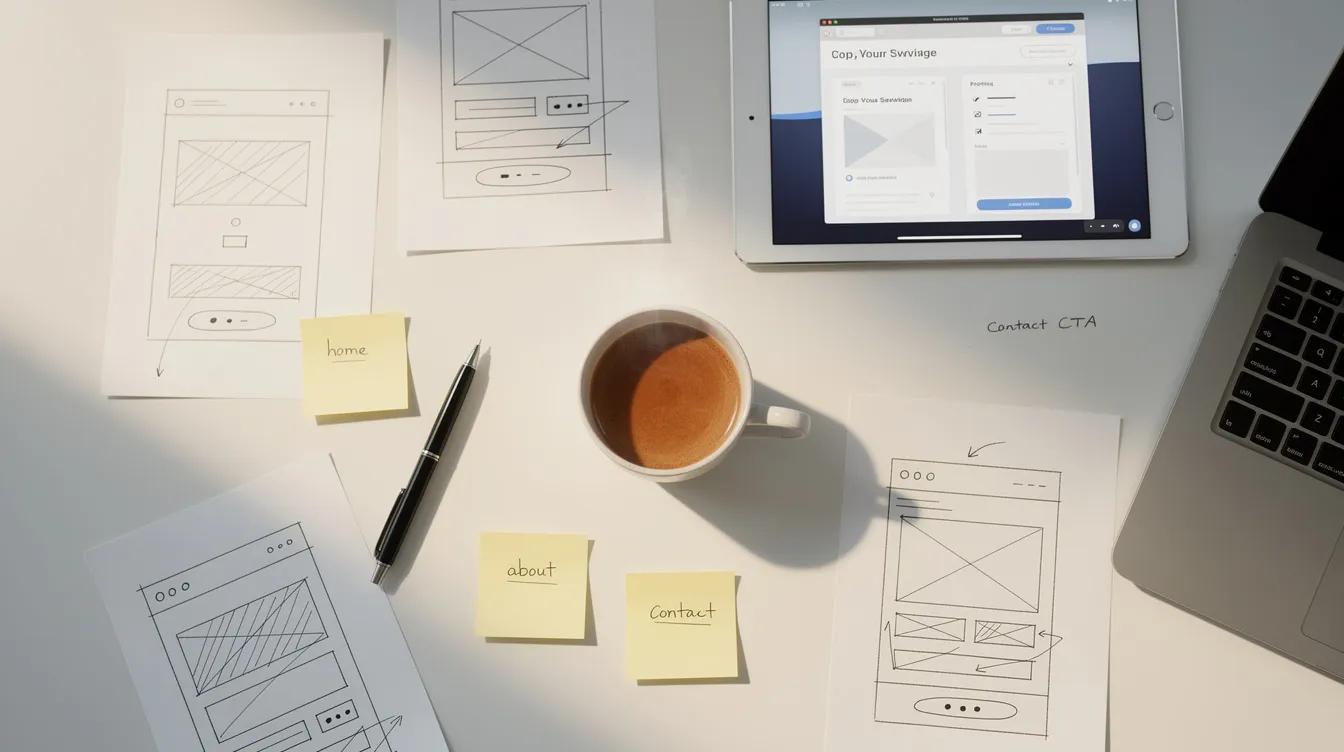
The designer presents a wireframe or mockup of the homepage to agree on direction before building anything else. The homepage anchors the entire site, setting the style, navigation, and tone. Expect one to two rounds of revisions before moving forward.
Build Pages Around Customer Journeys
Map out how visitors arrive (search, social, referral), what pages they need to see, and what actions you want them to take. Build the right pages: home, services or products, about, contact, and any landing pages tied to campaigns. One page websites and single page websites can work for very focused businesses, but most need multiple pages to cover their customer journey properly. My pages for bakeries and florists show what that looks like for a local shop.
Complete Launch Testing
Before going live, test everything:
-
Cross-browser and cross-device compatibility
-
Load speed on mobile devices and desktop
-
Functional testing of contact forms, buttons, and links
-
SSL verification and security checks
-
SEO basics: metadata, sitemap, robots.txt
-
Backup procedures confirmed
-
Analytics tracking installed and verified
How to Compare Low-Cost Website Options
Whether you hire a designer or pick a website builder plan, compare the options on the same points. Small business websites can fail from a poor fit as easily as from a poor design.
Customization Difficulty
Some platforms are drag-and-drop with many tools for visual editing, while others need code for deeper changes. A website builder gives you more features and creative freedom out of the box but locks you into its templates. If you want to install plugins for extended functionality, WordPress-based options give you the most flexibility, and a designer can shape the site around your business instead of a template.
Support Availability
Look for real support by live chat or email. A knowledge base and community forum help with quick answers, but when your site goes down on a Saturday night, you need a real person. Support is easy to overlook when a platform looks user friendly, yet it is critical when your business depends on your website.
Scalability Limits
Some platforms cap sales volume, product counts, or traffic on their cheapest plan or core plan. Many store platforms, for example, set sales caps on lower tiers. Understand what triggers forced upgrades or overage charges before you commit, and check whether unlimited storage really means unlimited.
Total Cost Over Three Years
Add up three years of plan fees, apps, themes, transaction fees and your own time, then compare that total with a one-time build. For business websites that need to rank locally and bring in leads, the affordable option is often the one with the higher first invoice and the lower three-year total. Low prices on the first year alone tell you very little.
Questions to Ask Before Buying an Affordable Business Website
Before you sign anything or hand over payment, ask these questions and get answers in writing.
Who owns the finished website? Confirm that you own the domain, theme files, images, and all content. If the provider keeps ownership of any part, understand what that means for your ability to move or change your site.
What are the renewal costs? Hosting, domain, SSL, themes, and plugins all have renewal pricing, and some plans include a free domain for the first year even though renewal pricing still applies after the introductory period. Ask for transparent pricing on year-two costs, not just the introductory rate. The extra cost of renewals catches many small businesses off guard.
What are the backup procedures? How often are backups made? Where are they stored? How quickly can the site be restored? These questions matter more than most people realize until something goes wrong.
What are the migration options? If you outgrow the platform or want to switch providers, can you export your data? What formats are available? Are there exit fees? Vendor lock-in is a real risk with some website builders, and the cost to migrate can be large.
Launch an Affordable Website That Supports Long-Term Growth
The smartest approach is to spend enough upfront to get the features that matter: a professional online presence, speed, mobile responsive design, security, and search engine optimization. Skip extras until your business demands them.
An affordable option does not mean a weak option. It means a strategic one. Good affordable website design is website design planned around calls, bookings and sales. Your site should drive traffic, generate leads, and handle more traffic as your business grows. A new local business and an established business share the same goal here: a cost effective website that works harder than it costs.
If you already have a site and are not sure whether it is helping or hurting your business, start with an audit. Look at your speed, mobile experience, search visibility, and conversion rates. The data will tell you where to focus your investment.
If you want a fixed price instead of a quote, my packages are listed on my pricing page, and my industry pages show what I offer to different kinds of small businesses. I work by email, so you can send me your questions and get a written answer.